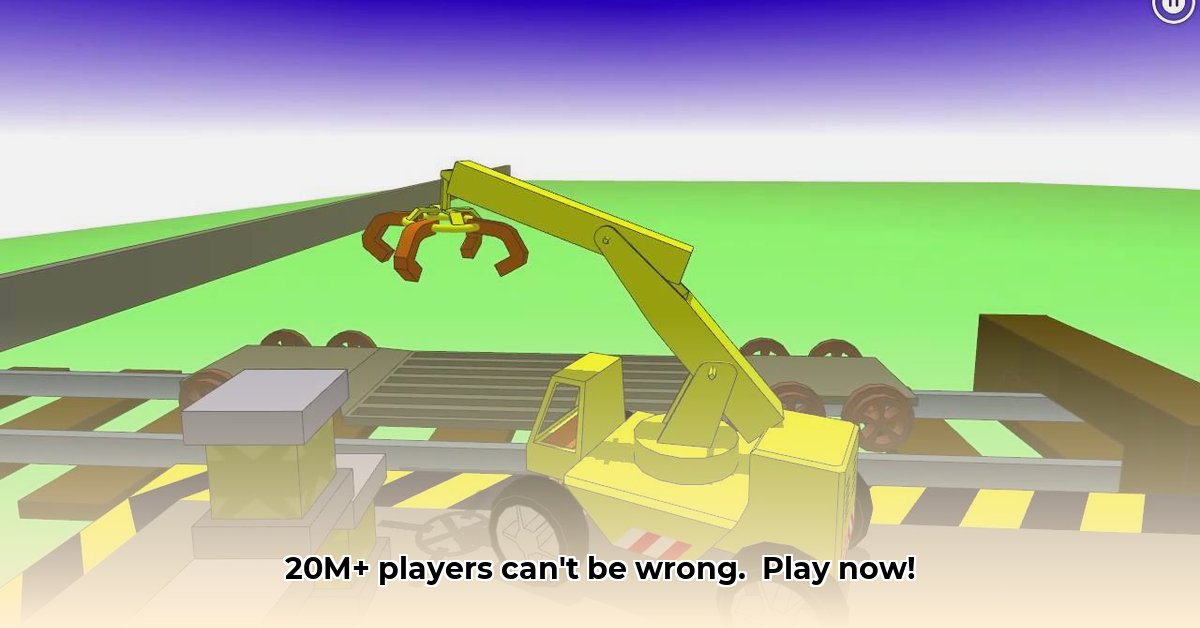
This crane simulator isn't just a game; it's a phenomenon, boasting over 20 million downloads across mobile and PC platforms. But what accounts for its massive popularity? Let's delve into what makes The Little Crane That Could (TLCTC) a hit—or a miss—on both your phone and computer. We'll examine gameplay, graphics, sound, controls, in-app purchases, level design, and offer an overall impression, along with tips to become a crane-operating pro.
Realistic Physics: A Weighty Experience
TLCTC's standout feature is its surprisingly realistic physics engine. Lifting massive objects feels substantial, requiring skill and precision. It's not just button-mashing; you'll need finesse to successfully maneuver the crane and other heavy machinery, like bulldozers and excavators. This realism extends to the subtle movements and weighty feel of the equipment, adding layers of challenge and immense satisfaction. That satisfying "thunk" as you perfectly place a load is expertly replicated. Have you ever felt the thrill of a perfectly executed lift in a game? This game delivers it.
Mobile vs. PC: Two Distinct Experiences
While core gameplay remains consistent, significant differences exist between mobile and PC versions. The mobile version excels for quick play sessions, with its streamlined design and intuitive controls. In contrast, the PC edition provides a significantly more expansive experience. It features a nearly limitless world and a revolutionary "dig-anywhere" functionality, allowing players to unleash their inner architect or demolition expert. Imagine Minecraft, but with heavy machinery—this feature truly sets the PC version apart. Doesn't this expansive freedom sound appealing?
Controls: Precision and Simplicity
Mobile controls are remarkably smooth and intuitive, leveraging touch gestures effectively. The PC version, however, offers significantly more precise control via keyboard and mouse or gamepad, catering to individual preferences. Both versions boast well-designed control schemes; the choice boils down to personal preference rather than a shortcoming of either platform. Isn't it impressive how well-adapted the controls are to each platform?
Level Design and the "Dig-Anywhere" Revolution
Here’s where the experience diverges. The mobile version boasts 27 levels, a respectable number. However, the PC version offers fewer predefined levels. This is largely due to the revolutionary "dig-anywhere" feature, which renders traditional level design less critical. It's a unique design choice, but one that could potentially benefit from future expansions. Perhaps user-generated content could be a future addition?
In-App Purchases: A Troubling Issue
The mobile version encounters a significant drawback: in-app purchase issues. Reports indicate difficulties accessing paid content, sometimes requiring app reinstalls. This is a serious problem that needs immediate developer attention, as it directly detracts from the positive gaming experience. Has anyone else experienced these issues?
Sound and Graphics
TLCTC's visuals prioritize gameplay over stunning realism, resulting in simple but functional graphics which ensure smooth performance. This is a smart design choice. The sound design, however, is a standout, featuring immersive and realistic sound effects that significantly enhance the gaming experience. The sounds aren’t revolutionary, but they're effective and well-implemented.
Overall Impression: A Solid Foundation with Room for Improvement
Despite minor drawbacks – primarily the in-app purchase problems on mobile – The Little Crane That Could delivers an incredibly satisfying simulation experience. The realistic physics, cross-platform compatibility, and the innovative "dig-anywhere" function on PC make it compelling for simulation enthusiasts. Addressing in-app purchase issues and expanding the PC version's level design – perhaps through community-created levels – would elevate TLCTC to the top tier of simulation games. With 20 million players already on board, the game's future potential is undeniable.
How to Fix In-App Purchase Problems in The Little Crane That Could
Many players report in-app purchase issues in TLCTC. Troubleshooting often involves verifying payment information, ensuring app updates and stable network connectivity. Persistent problems might indicate deeper software issues needing developer intervention, necessitating contact with the game's support team.
Key Takeaways:
- In-app purchase problems are a common complaint.
- Troubleshooting involves verifying payment details, updating the app, and checking for network issues.
- Persistent problems may need direct developer intervention via support channels.
Troubleshooting Steps:
- Verify Payment Information: Double-check all credit card details, billing address, and expiry date.
- Check Network Connection: Ensure a stable internet connection; restart your router if needed.
- Update the App: Check for updates in your app store and update the game to the latest version.
- Restart Your Device: A simple restart often fixes temporary glitches.
- Contact Support: Contact the game's support team if the problem persists.
- Check App Store for Issues: Look for announcements by the app store regarding outages or payment errors.
Persistent Problems:
If issues continue, contact support directly, provide detailed information about error messages (including screenshots), and consider checking your device's storage and testing with a different payment method.
Preventing Future Problems:
Keep your payment information up-to-date, maintain a stable internet connection, and keep the app updated.
⭐⭐⭐⭐☆ (4.8)
Download via Link 1
Download via Link 2
Last updated: Saturday, May 17, 2025